Coral Casino App Review: Download, Bonuses and Features
Looking for a fast, direct way to access Coral on your phone? Find out how to download and install it, to make real money deposits and keep the app updated manually. We’ve tested the Coral app ourselves to give you a full view of its features, security measures, and overall performance. Whether you’re new to mobile gambling or prefer avoiding app store restrictions, you’ll find clear and practical answers right here.
In this guide you will find:
- Coral App Review
- Features & Functions
- Compatibility with Devices
- How to Download and Install the Coral App
- How to Update the Coral App to the Latest Version
- Registration in the Coral Application
- Bonuses & Promotions
- Deposits & Withdrawals via the App
- Security of the Coral Application
- Support for the Coral Mobile App
- Possible Problems with the Coral App
- FAQ
Coral App Review
| Compatible Operating Systems | Android, iOS |
|---|---|
| Application version | Latest version available |
| Coral App Download Link | Available on Google Play |
| Download cost | Free |
| App Category | Casino |
| Welcome Bonus | 100 Free Spins |
| Supported Countries | United Kingdom, and others |
| Application languages | English, Italian, Greek, and 16+ |
| License | UK Gambling Commission, Gibraltar Gambling Commissioner |
| Customer Support | Available |
As we checked, Coral mobile app is an official program for smartphones, provided by Coral Casino. The mobile app is fully optimized for smooth performance on both Android and iOS devices. Rest assured, this casino is 100% legit and operates under two major licenses from the UK Gambling Commission and the Gibraltar Gambling Commissioner. So using their mobile apps is completely legal and secure. Once you install the app, you can score 100 Free Spins plus welcome rewards for bingo!
Features & Functions
Downloading the Coral app for iPhone and other devices unlocks instant access to over 4,500 slots, dope table games, bingo, poker, and live game shows. Playing on mobile allows you to turn on push notifications for instant tournament alerts. That way, you’ll never miss the fresh promos the casino frequently rolls out for its regulars. On top of that, you can use Touch/Face ID to log in, saving you time while keeping unauthorized users out of your account. By and large, the mobile app brings the full casino website right into your pocket with all the features. You get to play and score wins on the go without missing a beat!
Compatibility with Devices
| Parameters | Android | iOS |
|---|---|---|
| OS Version | 9.0 or later | 18.0 or later |
| Supported Devices | Most Android-based devices like Samsung, Huawei, Xiaomi, etc | iPhone and iPad |
| Availability | Free | Free |
| User interface | Adjustable for various screen sizes | Optimized user interface |
You can download the Coral app for free on Android and iOS gadgets, but here’s a quick heads-up: the iOS app focuses strictly on sports betting. So, if you want to play casino games, you’ll need to use their site in your mobile browser. On Android, the app originally launched on July 31, 2017, with its latest update rolled out on September 10, 2026. It runs smoothly across most smartphones and tablets from Samsung, Huawei, Xiaomi, and other top brands as long as you’re running Android OS 9.0 or higher. The layout automatically adjusts to fit any screen size, boasts over 1,000,000 downloads, carries a PEGI 18 rating, and is officially offered by Google Commerce Ltd. The Apple-exclusive sports betting app is about 102 MB and requires iOS 18.0 or newer to run. Developed by Entain Operations Limited, it carries an 18+ age rating and supports multiple languages, including English, German, Spanish, and many others.
How to Download and Install the Coral App
Our team has already tested the apps and knows how to set them up quickly and easily. So, if you’re looking to download the Coral app for an Android device, here is your game plan:
1Go to the official casino website, scroll to the footer, and tap the “Get it on Google Play” button.
2You’ll be redirected to the Google Play Store, where you can start the download by following the on-screen prompts.
3Wait a few seconds for the Coral APK to finish installing, then open it up, and you’re ready to roll!
To download the Coral app for iOS, follow the same steps: go to the casino’s official site, find the “Download on the App Store” button, and tap it to be redirected. Just keep in mind (as we mentioned earlier) this app is built strictly for sports betting and horse racing. If you want to savor casino games, you’ll need to use the mobile web version instead. Simply open the platform in your preferred browser on your device, whether that’s Safari, Google Chrome, Opera, or something else. You’ll get the same sleek interface as the desktop version, flawlessly scaled to fit your screen!
How to Update the Coral App to the Latest Version
Mostly, you’ll download the latest version of the Coral app right away, and updates will run automatically in the background. If that doesn’t happen, you’ll likely get a quick push notification letting you know an update is ready. Just follow the prompts. They’ll usually send you straight to the Google Play Store or App Store, where you simply hit “Update” and wait a few seconds for it to refresh.
Registration in the Coral Application
Once you’ve installed the app on your phone, signing up for a new account is easy. Here’s a quick step-by-step game plan from our team:
1Hit the bright yellow “Join” button.
2Write down your email address and phone number.
3Create a unique username and set up a strong password.
That’s all it takes to get started! You can complete filling out the rest of your profile details inside your account settings anytime after logging in.
Bonuses & Promotions
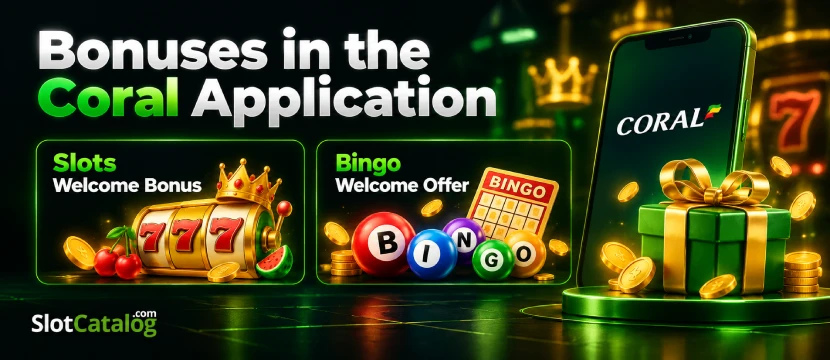
Of course, we cannot ignore bonuses in our Coral app review to give you a full picture of this gambling platform. Below, you can find all details about the casino’s rewards for mobile players.
Slots Welcome Bonus
If you’re a rookie at Coral Casino, make your first deposit using one of the eligible payment methods. Next, place a £10 bet on any slot game that catches your eye. Once you meet these conditions, 100 Free Spins will automatically land in your account to use on any of the 19 featured titles, including hot picks like Red Hot Catch and King Kong Splash. After they’re credited, you’ll have 48 hours to accept them, and once accepted, you’ve got 7 days to play them through.
Bingo Welcome Offer
Big bingo fan? You’re in for a treat with this welcome promo. Deposit any amount, spend £10+ on bingo tickets in any room, and score a £40 Bingo Bonus! Just keep in mind there’s a quick 4x wagering requirement on the bonus amount for bingo games.
Deposits & Withdrawals via the App
We broke it all down for you guys with a super easy guide on how to deposit right from the app. Here are detailed instructions:
1Log in to the app and go to the “Deposit” section.
2Select your preferred payment method.
3Input the amount you want to top up along with your payment details.
4Confirm the transaction and wait a few seconds for the funds to hit your balance.
Once you’ve scored some wins and cleared account verification, you’re ready to cash out. Here is your quick withdrawal game plan:
1Head over to the Cashier, hit “Withdraw," and enter how much you wanna cash out.
1Pick your payout method, throw in your details, and hit confirm.
Now just sit back while the casino processes it. Usually, this process takes around 1 to 3 days to hit your bank depending on how you withdraw.
Security of the Coral Application
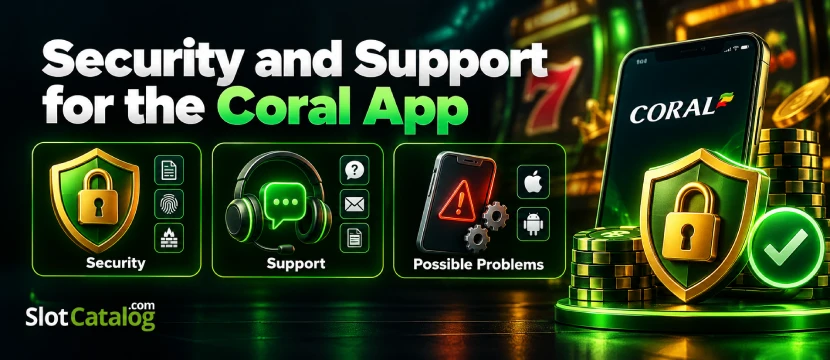
We tested the Coral app hands-on, so we know for a fact it’s completely safe and legit. It operates legally under official licenses from the UK Gambling Commission and Gibraltar. Your personal data and money stay fully protected thanks to 128-bit SSL encryption and heavy-duty firewalls. For extra protection, you can set up instant biometrics like Touch ID or Face ID. What’s more, it includes all the core responsible gambling tools, like deposit limits, self-exclusion, and reality checks to keep you in total control.
Support for the Coral Mobile App
To find answers to your questions, head to the “Help and Contact” section in the app. There, you’ll find plenty of FAQs alongside links to detailed video guides. If you still haven’t found what you’re looking for, you can always reach out directly to customer support via email.
Possible Problems with the Coral App
In our view, the main downside is that you can’t install the Coral app to play casino games on iOS devices, so you have to stick with the mobile web version. We also ran into a slight hiccup when we first tried to get the Android app via Google Play, and we had to contact live chat support for a direct download link. That said, that doesn’t happen every time.
FAQ
Is the Coral App Available on Google Play or the App Store?
Yes, the Coral App is available on Google Play and the App Store.
Is the Coral Mobile App Safe to Use?
Yeah, the official casino’s mobile app is absolutely safe and trustworthy for your gaming experience.
How Do I install the Coral App on Android?
You may go to the casino’s website and tap the “Get it on Google Play” button. After that, you will be redirected to Google Play, where you can install the program.
Can I Make Deposits and Withdrawals Through the Coral App?
Yes, you can deposit and cash out through the mobile application.
How Do I Update the Coral App to the Latest Version?
To update the Coral app to the latest version, simply head to the Google Play Store or App Store, search for the app, and tap “Update” if a new version is available.