

Zula Casino App
Looking for a quick, no-hassle way to access Zula Casino on your phone? Find out how to install it, purchase coins, withdraw prizes, and keep the app running smoothly. We’ve tested the Zula app across Android and iOS to give you a clear view of its performance, security features, and real-world usability. Whether you’re new to sweepstakes platforms or just want to skip the app store entirely, you’ll find straightforward, mobile-first answers in the sections below.
In this guide you will find:
- Zula App Review
- Features & Functions
- Compatibility with Devices
- How to Download and Install the Zula App
- How to Update the Zula App to the Latest Version
- Registration in the Zula Application
- Bonuses & Promotions
- Deposits & Withdrawals via the App
- Security of the Zula Application
- Support for the Zula Mobile App
- Possible Problems with the Zula App
- Screenshots of the Zula App
- Summary
- Frequently Asked Questions
Zula App Review
| Feature | Details |
|---|---|
| Compatible Operating Systems | Android & iOS |
| Download Cost | Free |
| App Category | Sweepstakes Casino / Social Gaming |
| Promo Code | Not required |
| Welcome Bonus | 120,000 GC + 10 SC |
| Supported Countries | USA (excluding Georgia, Idaho, Michigan, Washington) |
| Application Languages | English |
| License | Tobique Gaming Commission |
| Customer Support | Email only |
According to our experts, the Zula Casino app is not your usual download-and-play product. In fact, there’s no native app in Google Play or the App Store. Instead, you install the Zula Casino app directly from your mobile browser, and it runs independently on your device. We have examined all possible ways to access the platform, and this mobile-first application offers a truly interactive and trustworthy gambling experience — with smooth navigation on both Android and iOS devices.
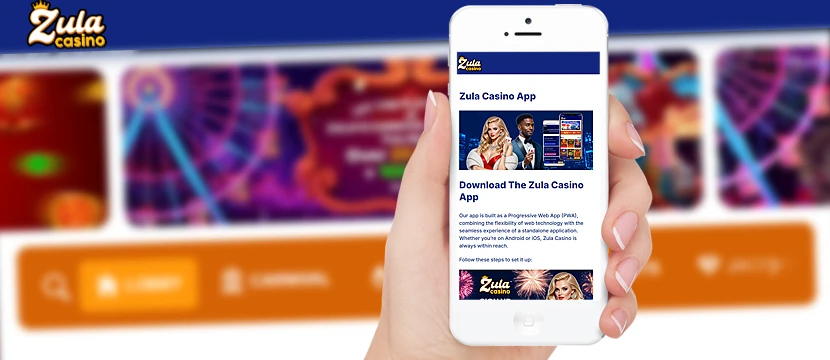
While the Zula Casino app for Android and Zula Casino app for iPhone are technically the same Progressive Web App (PWA), performance is consistent across devices. The app category falls under sweepstakes gaming, not traditional real-money gambling, and it’s fully regulated under the Tobique Gaming Commission. There's no need for a promo code, and you can download the Zula Casino app for free. Once you're in, the Zula mobile app gives instant access to 1,200+ games — all wrapped in a legally compliant, privacy-conscious environment.
Features & Functions
The Zula Casino app gives you access to over 1,200 sweepstakes games, including slots, fish games, and jackpots. You can buy Gold Coins, claim free Sweeps Coins, and switch between currencies with one tap. The platform handles everything from gameplay to prize redemptions — no separate desktop required. Account settings, purchase history, and coin balances are managed through a mobile-optimized interface. All outcomes are determined by certified RNG, and account verification is mandatory before cash redemption. There’s no autoplay, but gameplay is fast and responsive. The app also connects to the help center, offering searchable support articles and direct email contact.
Compatibility with Devices
Zula is fully optimized for mobile use, running directly from Safari or Chrome without needing a traditional app install. We've tested it on both Android and iOS, and the experience is consistent: clean layout, fast access, and no unnecessary animations. It performs well on most mid-range smartphones and tablets. On older devices, users might experience slower load times, but key features — such as gameplay, wallet access, and transactions — remain fully functional.
| Parameter | Android | iOS |
|---|---|---|
| OS Version | Android 5.0 or higher | iOS 10.0 or later |
| Supported Devices | Smartphones & tablets | iPhone, iPad |
| Availability | Browser-based (PWA) | Browser-based (PWA) |
| User Interface | Optimized for touch controls | Optimized for touch controls |
How to Download and Install the Zula App
Installing Zula on your phone takes less than a minute, and there’s no need to go through Google Play or the App Store. Everything happens through your browser. Once added to your home screen, the app behaves like a native application — quick to launch, persistent, and fully functional.
Zula Casino on Android

1Open the official site – Launch Chrome on your Android device and go to the Zula Casino website.
2Access the browser menu – Tap the three dots in the top-right corner of your browser window.
3Select “Install app” – Choose the install option from the dropdown list.
4Confirm installation – Tap "Install" when prompted, and wait a few seconds.
5Launch from home screen – The Zula icon will appear on your home screen for quick access.
Zula Casino on iOS

1Open the site in Safari – On your iPhone or iPad, go to the Zula Casino website using Safari.
2Tap the Share icon – It’s the square with an upward-pointing arrow at the bottom of the screen.
3Select “Add to Home Screen” – Scroll through the options and tap to proceed.
4Confirm the addition – Tap "Add" on the final screen to complete the setup.
5Access the app – The Zula icon will now be on your home screen, ready to launch anytime.
How to Update the Zula App to the Latest Version
If you're using the Zula Casino app regularly, chances are it's already up to date. The app runs through your browser, so any changes on Zula's side go live the moment you open it. There are no update buttons, version checks, or downloads — everything is handled in the background.
Still, if the app looks stuck or doesn’t load correctly, here’s how to reset it:
1Swipe down to reload – This forces your browser to pull the most current version of the Zula mobile app.
2Clear your cache – Go to browser settings and clear data specifically for zulacasino.com.
3Remove the app icon – Delete the existing home screen shortcut to reset the app entry point.
4Install the Zula app again – Revisit the official site and follow the standard installation steps for Android or iPhone.
5Launch the updated app – Tap the new icon to access the latest version with refreshed content.
No patches. No waiting. Just the newest version, every time you tap the icon.
Registration in the Zula Application
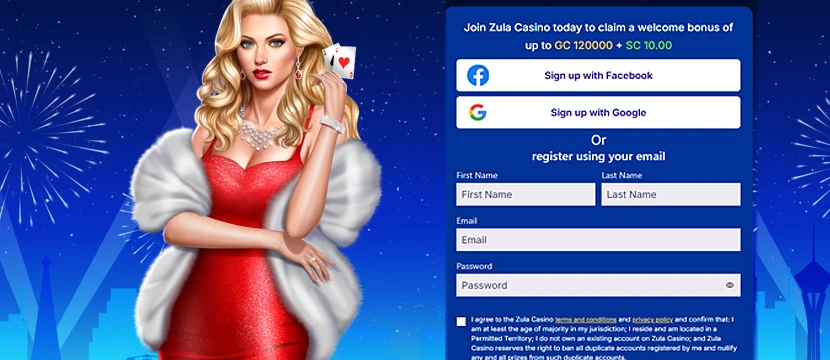
The registration process in the Zula Casino app is quick, mobile-optimized, and designed to get you into the games without delays. You don’t need to download anything or switch to desktop — everything happens inside the app interface. No promo code is required, and your welcome bonus is linked automatically once your account is set up.
Here’s how to register:
1Open the Zula app – Launch the app from your mobile home screen.
2Tap “Register” – You'll find the button on the main screen.
3Fill in your details – Enter your full name, email, and date of birth.
4Create a password – Choose something secure and memorable.
5Agree to the terms – Accept the terms and conditions, then submit the form.
6Access your account – Registration is complete and your welcome bonus will be active.
The entire process takes under a minute — no unnecessary forms, no distractions. Just a direct path to real gameplay.
Bonuses & Promotions

The Zula Casino app doesn’t require a real money deposit to get started — but that doesn’t mean you’re playing empty-handed. From the moment you register, the application unlocks multiple offers designed to enhance your gaming experience. These bonuses are built into the platform and trigger instantly, with no codes, no downloads, and no delay. Whether you’re testing the app’s core features or looking to stretch your Sweeps Coins, everything is structured for instant play and open to every customer.
Welcome Bonus
Create an account and receive 120,000 Gold Coins plus 10 Sweeps Coins — no strings attached. It’s automatic, and it gives you a full tour of the app’s slots, jackpots, and specialty games right away.
Daily Login Bonus
Zula rewards consistency. Open the app each day to claim 10,000 GC and 1 SC — a quick boost that keeps you in the game without requiring purchases.
First Purchase Deal
Your first $2.99 purchase unlocks 250,000 GC and 10 SC. It’s optional, but for those ready to extend their session, it’s solid value for entry-level gameplay.
Referral Bonus
Invite a friend, and you get 20,000 GC and 2 SC when they sign up. If they make a purchase, you’ll also get a 50% match bonus — capped at $30.
VIP Rewards
The more active you are, the more you unlock. Zula’s VIP system tracks your engagement and gradually improves your bonuses, payout options, and weekly rewards. There’s no manual enrollment — just play, and it builds.
Deposits & Withdrawals via the App
The Zula Casino app doesn’t use traditional deposits and withdrawals. Instead, you can purchase Gold Coins to play for fun, and withdraw Sweeps Coins for real cash prizes — all directly through the app on your mobile device.
How to Purchase Coins
1Open the Coin Store – Launch the Zula app and go to the Coin Store section.
2Select a package – Choose the amount of Gold Coins you want. Most offers include bonus Sweeps Coins.
3Choose your payment method – Visa, Mastercard, Discover, and Skrill are supported.
4Complete the payment – Enter your details and confirm. Your coins will appear in your balance almost instantly.
How to Withdraw Cash
1Verify your account – Submit your ID, proof of address, bank statement, and a selfie to enable withdrawals.
2Open the Withdraw section – Once verified, go to the withdrawal area in the app menu.
3Enter the amount – You’ll need at least 50 Sweeps Coins to make a withdrawal.
4Select a payout method – Choose between bank transfer or Skrill.
5Submit your request – The first payout may take up to 7 business days. After that, most are processed within 3–5 business days.
Security of the Zula Application

Zula doesn’t cut corners when it comes to security. All connections in the Zula Casino app are protected by HTTPS with full SSL encryption, meaning your data stays between you and the platform — no third-party access, no exposure. Payment information is processed externally through trusted providers, so nothing sensitive is stored inside the app.
Before any withdrawals are approved, players must complete a one-time identity check. This includes document verification and helps prevent duplicate accounts, payment fraud, and underage access.
We ran a full Zula app test on both Android and iOS to evaluate session security, login stability, and transaction handling. The results were clean — no vulnerabilities detected, no data leaks during use.
In short, the app is built to deliver a trustworthy and privacy-focused mobile experience, from registration to payout.
Support for the Zula Mobile App
The Zula Casino app doesn’t offer live chat, but it does provide a direct line through its in-app help center. Support requests are handled via email or ticket submission, and during our Zula app test, replies typically arrived within a business day — sometimes faster.
The help portal includes a functional FAQ covering real issues like payout delays, ID rejections, and account access. It’s not real-time support, but it works — and it’s built directly into the app, so you won’t be redirected or left guessing where to go.
Possible Problems with the Zula App
The Zula Casino app is stable for most users, but a few issues can occasionally surface. We’ve gathered the most common ones below, based on feedback and our own testing — along with how to fix them quickly.
Can’t Log In
Double-check your email and password — it's easy to mistype on mobile. If you try too many times, Zula may lock the account temporarily. Wait 30 minutes or use the password reset option. Still locked out? Use the in-app support form to get help without leaving the app.
Verification Stuck
If your documents are rejected or nothing happens after upload, the issue is usually image quality or missing info. Make sure your ID is valid, unedited, and clearly shows all details. Utility bills must match your account address. Zula’s team replies fastest when all docs are right the first time.
Games Not Loading
If slots or tables don’t open, refresh the app or restart your browser. Clearing your mobile browser’s cache usually solves it. Also, check that you’re using the latest version of Safari or Chrome — Zula runs best on updated browsers with solid internet.
Delayed Payouts
Withdrawals can take up to 7 business days, but if you're waiting longer, the usual culprit is an incomplete verification step. Check your email for any requests from Zula. If everything looks fine and it’s still stuck, contact support — they’ll push it through if nothing’s missing.
Screenshots of the Zula App
Here’s a closer look at the Zula Casino app in action. The layout is stripped down to what matters — games, coins, and access to your balance — without overwhelming the screen.
What you see is what you get: large touch targets, no unnecessary animations, and a home screen that drops you straight into featured games and promos. The Coin Store is easy to reach, and key functions like switching between Gold Coins and Sweeps Coins are visible without digging through menus. It’s clearly built for mobile, and it shows.
Summary
I’ve tested the Zula Casino app across all key areas — usability, legality, interface design, and performance — and it holds up. This isn’t a placeholder site with a login screen and a few slot clones. It’s a fully mobile-optimized sweepstakes platform that delivers on what it promises: fast access to games, transparent coin systems, and real cash-out potential (if you follow the rules).
Zula runs as a browser-based app, but it behaves like a native one. It’s stable, simple to navigate, and doesn’t waste your time with loading screens or confusing menus. From a legal standpoint, it’s licensed by the Tobique Gaming Commission and built for U.S. players — with clear terms and a working withdrawal system that’s been tested, not just described.
Support could be better (no live chat), and verification is strict — but those are trade-offs for a platform that prioritizes compliance and account security.
Quick Tips:
- Don’t skip verification — it’s required for payouts.
- If a game won’t load, refresh or clear your browser cache.
- Log in daily — free coins add up faster than you think.
Frequently Asked Questions
Is the Zula app available on Google Play or the App Store?
No, the Zula Casino app is not available on Google Play or the App Store. It works as a Progressive Web App (PWA), which you install directly from your mobile browser by visiting the official Zula website.
Is the Zula Casino app legal?
Yes. Zula operates under sweepstakes casino laws and is licensed by the Tobique Gaming Commission. It’s available in most U.S. states where sweepstakes gaming is permitted, with a few regional restrictions.
Can I install the Zula Casino app on Android and iPhone?
Yes. Zula works on both Android and iOS devices as a browser-based app. For Android, use Chrome; for iPhone, use Safari. Then select “Install App” or “Add to Home Screen” when prompted.
How do I withdraw money from the Zula app?
Withdrawals are made by converting Sweeps Coins to real cash. To withdraw, complete identity verification, open the Withdraw section in the app, choose your method (bank or Skrill), and confirm the amount.
What should I do if the app isn’t working?
Try swiping down to refresh the app, or clear your browser’s cache if it still won’t load. If problems continue, reinstall the shortcut from the official site or contact support through the in-app help center.